




![[PenelopeTemplate]alexandra-lammerink-50YR0v44QUs-unsplash](http://static.showit.co/400/-sKPeYObSVua0wuOPMIryQ/shared/penelopetemplate_alexandra-lammerink-50yr0v44qus-unsplash.jpg "[PenelopeTemplate]alexandra-lammerink-50YR0v44QUs-unsplash")
![[PenelopeTemplate]alexandra-lammerink-4Mnu_FzKNWY-unsplash](http://static.showit.co/400/v6DcnJcbR5yNNW6Pw_N18Q/shared/penelopetemplate_alexandra-lammerink-4mnu_fzknwy-unsplash.jpg "[PenelopeTemplate]alexandra-lammerink-4Mnu_FzKNWY-unsplash")
![[PenelopeTemaple]alexandra-lammerink-51mGz4OKUJs-unsplash](http://static.showit.co/400/U8IpA62zSd6dYfONsI94kQ/shared/penelopetemaple_alexandra-lammerink-51mgz4okujs-unsplash.jpg "[PenelopeTemaple]alexandra-lammerink-51mGz4OKUJs-unsplash")
Tips & Tricks from Team Awesome: Jennifer
Filed under:
Editor’s Note: Happy Thursday everyone! Welcome to the first ever installment of Tips & Tricks from Team Awesome, where the amazingly talented ladies from my Creative Team will be sharing how they use NettioDesigns templates to embrace their scrapbooking awesomeness. Our first brave soul is Jennifer so if you like her post and want to see more posts like this in the future, be sure to leave her some love in the comments!
Hi Everyone!
Lynnette asked me to post today on how I take her awesome templates, and put my own spin on them.
One of the reasons Lynnette’s templates work so great for me is that I love yearlong projects. One of my projects this year is to do a monthly He & She layout, based on the idea by Elise Blaha. I try to use a different template every month to make this project a lot of fun, and for my February layout I have chosen to use a template from the It’s Goal-tastic Template set.
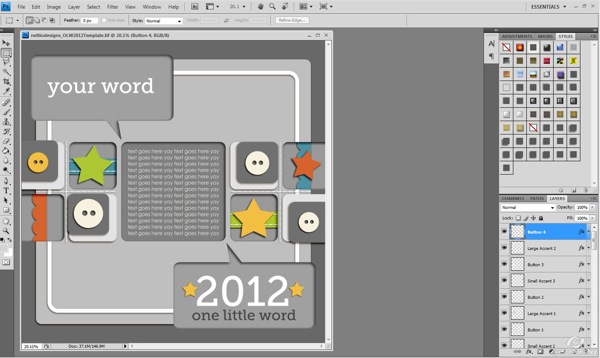
I’ve chosen to use Penny Springmann’s This Life series for my layouts, and will be using the February Edition for this particular layout. The first thing I do when I start a layout is turn off all text and element layers and start playing with the papers I want to use. I start by placing my patterns, then filling in with solids to add contrast.
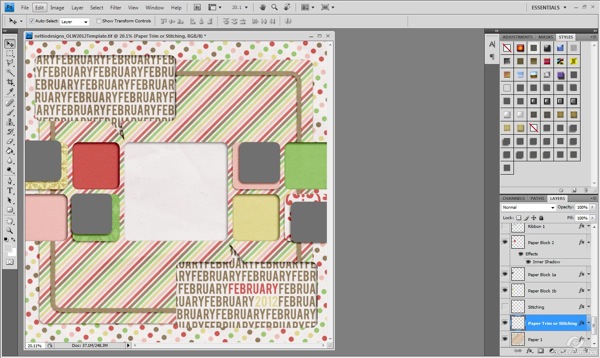
Once I have all my papers in place, I start turning back on the element layers. I look at which elements I want to use, and how I want to change things. I knew I wanted to include some photos, so I chose to remove the buttons and swap them out for photos. I wanted to focus on the story, and decided to remove the paper strips from the inset blocks as well to help clean things up.
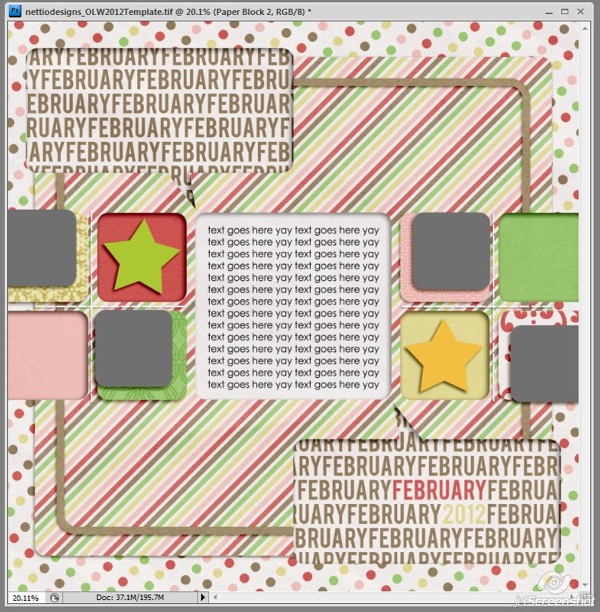
This left me with a few basic elements placed, and space for four photos. Now it was time to fill those spaces and add any additional elements I felt were needed.
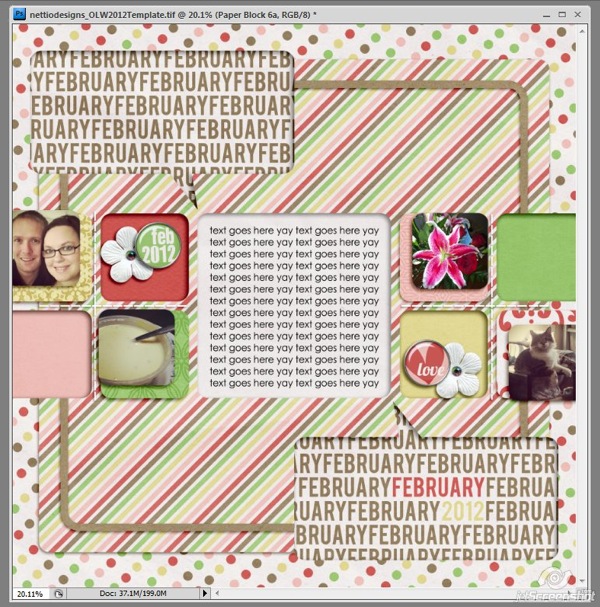
Once the elements and photos are in place, it’s time to add journaling and a title. I wanted to keep things really simple, and just played with alphas to ensure that. Then I take a look at the page and start tweaking. After I’ve completed this much, I know I need to change my papers a bit to make things work. I tweak little things until it sits right. Then, it’s time to save and walk away.
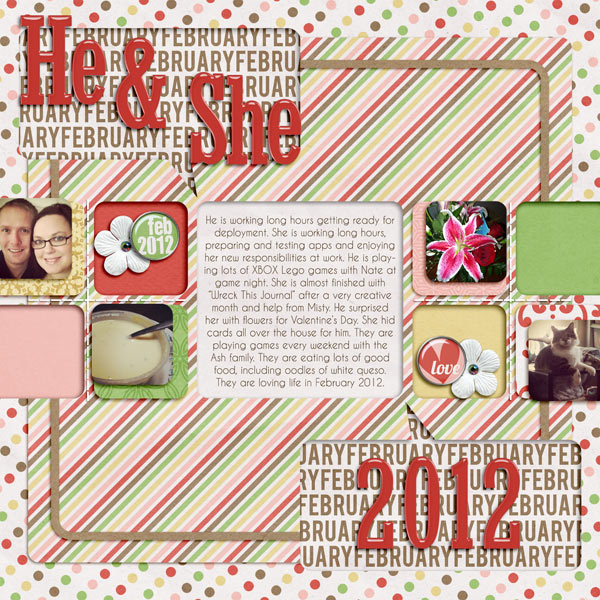
I’m really happy with how this page turned out. I don’t take notes throughout the month on what happened, but I pull photos from our phones to see just what we did in the last month, and it’s been a fun way to capture snippets of our lives.
If I have any tips to share with you guys for embracing your own awesomeness, it would be these three things:
- Perfection is highly overrated. Just enjoy the page, use what photos you have, and tell your story. In 10 years you won’t care that the photos aren’t perfect, just that you have the story told.
- Phoneography is fun. I love my nice camera, but it’s so much easier to just use my phone camera. Most cell phone cameras are pretty good these days, and can make for some fun photos to scrap. Add a filter, change it to black and white, crop it, just do whatever it takes to embrace those photos.
- Scrap for YOU. Don’t spend time worrying about if you are doing things right, or if someone else will like it. Tell your story, your way. You are awesome, and don’t doubt that.
Happy Scrapbooking Everyone!
Jennifer
Thanks so much Jennifer! Awesome tips!
Psst…Is your computer in need of a spring cleaning? Then you won’t want to miss what we’ve got coming for you next week! The fun begins Monday morning so be sure to stop by!









I love your take on the template to use it in a he said/she said layout. I also really like the idea of year long projects. I’m enjoying Project Life so much that I just may see what other projects would be fun to do.